 부가 기능
부가 기능
메시지 작성
-
*cloud - FileLink for Nextcloud OpenCloud ownCloud
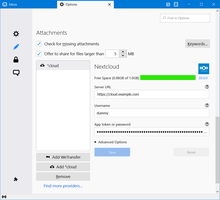
Upload large attachments to your Cloud and send the link by email
사용자 34,464명 -
SmartTemplates
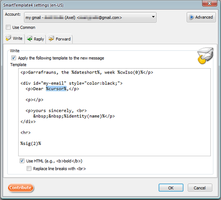
SmartTemplates offers an easy and powerful way to automatically create customized replies by auto-inserting various mail headers. Templates can be created for every mail identity, Stationery files can now be imported and used directly.
사용자 3,453명
인기 모두 보기 »
-
 True "Send Later" functionality to schedule the time for sending an email.사용자 107,243명
 -
 Check your emails for spelling and grammar issues사용자 70,665명
 -
 Create and Save or Send Multiple Individual and Personalized Messages from a Draft사용자 69,677명
 -
 Switch the signature on/off or choose a new one from your predefined set.사용자 51,057명
 -
 Highlights selected text when composing emails. Default colour is yellow - other colours are available via Options.
(Works only during writing an e-mail, i.e. only in the compose window.)사용자 47,300명 -
 Securely encrypt and upload large attachments to any Send service instance (formerly Firefox Send).사용자 46,416명
상위 별점 모두 보기 »
-
 Thunderbird は Outlook のようにアドレス全選択からの「一括コピー」ができません。
それを実現するためのアドオンです。사용자 397명 -
Macro Template is to replace mail templates with macros for date formatting.사용자 563명
-
Default "Reply" functionality pays attention to "Reply-To" in original email사용자 48명
-
 Allows you to use your Exchange and Office365 email account with Thunderbird using Outlook Web Access (OWA).사용자 37,144명
 -
Create and Save or Send Multiple Individual and Personalized Messages from a Draft사용자 69,677명
-
 Warns if you send mail from or to a specified domain. If there are multiple accounts in your profile, you can isolate one so that you can't send mail to that domain from outside or vis versa without warning.사용자 84명
신규 등록 모두 보기 »
-
 Zeigt die zentral verwaltete E-Mail-Signatur schon beim Schreiben, statt sie erst beim Versand zu ergänzen. Erfordert ein Konto beim Signaturdienst SignatureHub.사용자 1명
 -
 Summarize, draft replies, chat with, and triage selected email through OpenAI, Claude, Mistral, DeepSeek, or your compatible endpoint. No mail is sent unless you start an AI action.사용자 2명
 -
Verarbeite markierten Text in Eingabemasken über ein Chat-Completions-LLM direkt im Browser.사용자 1명
-
A quick 5-second grace window when sending emails! Intercepts send actions, shows a smooth countdown popup, and gives you a one-click Undo button before dispatch. Fully customizable delay in settings.사용자 13명


메시지 작성내 모든 확장 기능 (362) 보기 »
모음집을 제작하시려면 Mozilla 부가 기능 계정이 있어야 합니다.
아니면 현재 사용중인 계정으로 로그인 하세요
