 დამატებები
მოგესალმებით, Thunderbird დამატებების გვერდზე.
დაამატეთ ახალი შესაძლებლობები და გაფორმებები, რომ გახადოთ Thunderbird მეტად თქვენებური.
დახურვაშეტყობინების გაგზავნა
-
SmartTemplates
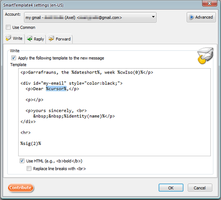
SmartTemplates offers an easy and powerful way to automatically create customized replies by auto-inserting various mail headers. Templates can be created for every mail identity, Stationery files can now be imported and used directly.
3 806 მომხმარებელი -
*cloud - FileLink for Nextcloud and ownCloud
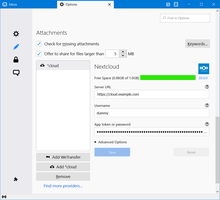
Upload large attachments to your Cloud and send the link by email
39 519 მომხმარებელი
ყველაზე სასურველი ყველას ნახვა »
-
 True "Send Later" functionality to schedule the time for sending an email.121 101 მომხმარებელი
 -
 Create and Save or Send Multiple Individual and Personalized Messages from a Draft77 032 მომხმარებელი
 -
 Check your emails for spelling and grammar issues76 690 მომხმარებელი
 -
 Switch the signature on/off or choose a new one from your predefined set.56 047 მომხმარებელი
 -
 Securely encrypt and upload large attachments to any Send service instance (formerly Firefox Send).52 729 მომხმარებელი
 -
 Highlights selected text when composing emails. Default colour is yellow - other colours are available via Options.
(Works only during writing an e-mail, i.e. only in the compose window.)51 417 მომხმარებელი
საუკეთესოდ შეფასებული ყველას ნახვა »
-
 Quickly choose one of the previously selected colors for a message text1 886 მომხმარებელი
 -
 Thunderbird は Outlook のようにアドレス全選択からの「一括コピー」ができません。
それを実現するためのアドオンです。428 მომხმარებელი -
Macro Template is to replace mail templates with macros for date formatting.562 მომხმარებელი
-
Default "Reply" functionality pays attention to "Reply-To" in original email58 მომხმარებელი
-
 Allows you to use your Exchange and Office365 email account with Thunderbird using Outlook Web Access (OWA).46 510 მომხმარებელი
 -
Create and Save or Send Multiple Individual and Personalized Messages from a Draft77 032 მომხმარებელი
ახალი დამატებული ყველას ნახვა »
-
 LLM-powered pre-send email checks for Thunderbird0 მომხმარებელი
 -
A lightweight Thunderbird add-on that allows you to add private comments to emails. These comments are stored as "Unsent Replies" directly within the same folder as the original message, ensuring your notes sync across all your devices.4 მომხმარებელი
-
 Summarize emails and refine selected text using your own AI API. Set your OpenAI-compatible endpoint and key in options; no built-in backend. Summarize when reading mail; Refine with one click in the compose toolbar, then Insert to replace the text.2 მომხმარებელი
 -
 When replying to an email this will set a "Customize From Address..." with the original recipient.
This is useful when using custom email addresses with plus addressing or a catch-all.
If a name is missing it will use the name of the set identity.1 მომხმარებელი -
 MailCheck helps prevent accidental email leaks by checking recipient domains before sending. Can be configured to warn & allow users to deny when email messages include non-allowed domains or prohibited domains.4 მომხმარებელი
 -
 Att-Hub is the ultimate attachment manager. Easily find, filter, organize, print, open, download (backup) or re-mail all your attachments in one gallery tab. Include Focus View, custom Containers, ZIP downloads and grid printing for images and PDFs.1 მომხმარებელი
იხილეთ 290 გაფართოება, კატეგორიაში „შეტყობინების გაგზავნა“ »
საკუთარი კრებულების შესაქმნელად, საჭიროა Mozilla დამატებების ანგარიში.
