 დამატებები
მოგესალმებით, Thunderbird დამატებების გვერდზე.
დაამატეთ ახალი შესაძლებლობები და გაფორმებები, რომ გახადოთ Thunderbird მეტად თქვენებური.
დახურვასაუბარი და შეტყობინებები
-
AutoarchiveReloaded
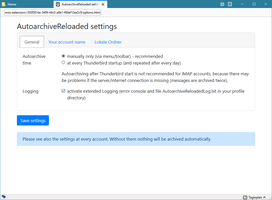
Archiviert E-Mails automatisch (Verbesserte Version vom "Autoarchive" Add-on)
21 620 მომხმარებელი
ყველაზე სასურველი ყველას ნახვა »
-
 Archiviert E-Mails automatisch (Verbesserte Version vom "Autoarchive" Add-on)21 620 მომხმარებელი
 -
 Allows you to resend (also known as redirect) email messages.
Uses 'cardbook' if installed
Bases on the add-on 'Mail Redirect' by Onno Ekker and Pawel Krzesniak
Please see the support page on how to use and why it sometimes does not work!8 152 მომხმარებელი -
 Press "Alt + i" or use context menu to quickly access:
- ChatGPT (OpenAI)
- GitHub Copilot (Microsoft)
- Claude (Anthropic)
- T3 Chat
- Lumo (Proton)
- Gemini (Google)
- Grok (X)
- Mistral
- Perplexity
- DeepSeek (深度求索)3 975 მომხმარებელი -
 Open WhatsApp Web in Thunderbird2 925 მომხმარებელი
 -
 Open Google Chat in a Thunderbird Tab.
Update: 3 Dec 2024 -
Literally all this extension does is to open Google Chat in a separate tab. Thank you for all your kind comments! I made this to scratch an itch and I'm glad it has helped so many :)1 548 მომხმარებელი

საუკეთესოდ შეფასებული ყველას ნახვა »
-
 Open Telegram Web in Thunderbird544 მომხმარებელი
 -
Allows you to resend (also known as redirect) email messages.
Uses 'cardbook' if installed
Bases on the add-on 'Mail Redirect' by Onno Ekker and Pawel Krzesniak
Please see the support page on how to use and why it sometimes does not work!8 152 მომხმარებელი -
 Upozornění na nové zprávy z chatu Mozilla Thunderbird. Upozornění pomocí informačního okna, tray ikony (kliknutí otevře konverzaci, tray ikona pouze pro Windows), zvuku a rozblikáním ikony na hlavním panelu.0 მომხმარებელი
 -
 This extension serves the purpose of providing instant access to the FOAAS web service. FOAAS (Fuck Off As A Service) provides a modern, RESTful, scalable solution to the common problem of telling people to fuck off.2 მომხმარებელი
 -
Press "Alt + i" or use context menu to quickly access:
- ChatGPT (OpenAI)
- GitHub Copilot (Microsoft)
- Claude (Anthropic)
- T3 Chat
- Lumo (Proton)
- Gemini (Google)
- Grok (X)
- Mistral
- Perplexity
- DeepSeek (深度求索)3 975 მომხმარებელი -
Open WhatsApp Web in Thunderbird2 925 მომხმარებელი
ახალი დამატებული ყველას ნახვა »
-
Verarbeite markierten Text in Eingabemasken über ein Chat-Completions-LLM direkt im Browser.1 მომხმარებელი
-
 Unofficial Slack add-on for Thunderbird, it adds a button in Spaces that opens a Google Chat tab in Thunderbird, and shared copied text to Slack within Thunderbird10 მომხმარებელი
 -
 Detección en tiempo real de spam y phishing en Zimbra. Bloquea enlaces peligrosos con Safe Browsing, PhishTank y URLhaus.9 მომხმარებელი
 -
 Streamline your data collection with a free Email Extractor. Extract emails from any webpage automatically.3 მომხმარებელი
 -
 Unofficial Whatsapp Web add-on for Thunderbird, it adds a button in Spaces that opens a WhatsApp Web tab and a contextual menu entry when when selecting a phone number.51 მომხმარებელი

იხილეთ 64 გაფართოება, კატეგორიაში „საუბარი და შეტყობინებები“ »
საკუთარი კრებულების შესაქმნელად, საჭიროა Mozilla დამატებების ანგარიში.
