 Add-ons
Message Composition
-
*cloud - FileLink for Nextcloud OpenCloud ownCloud
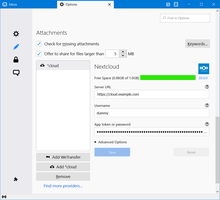
Upload large attachments to your Cloud and send the link by email
31,089 users -
SmartTemplates
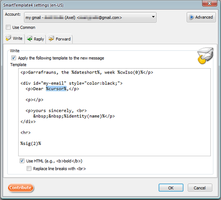
SmartTemplates offers an easy and powerful way to automatically create customized replies by auto-inserting various mail headers. Templates can be created for every mail identity, Stationery files can now be imported and used directly.
3,221 users
Most Popular See all »
-
 True "Send Later" functionality to schedule the time for sending an email.94,132 users
 -
 Check your emails for spelling and grammar issues66,476 users
 -
 Create and Save or Send Multiple Individual and Personalized Messages from a Draft59,915 users
 -
 Switch the signature on/off or choose a new one from your predefined set.45,729 users
 -
 Highlights selected text when composing emails. Default colour is yellow - other colours are available via Options.
(Works only during writing an e-mail, i.e. only in the compose window.)44,001 users -
 Securely encrypt and upload large attachments to any Send service instance (formerly Firefox Send).43,520 users
Top Rated See all »
-
 Thunderbird は Outlook のようにアドレス全選択からの「一括コピー」ができません。
それを実現するためのアドオンです。282 users -
Macro Template is to replace mail templates with macros for date formatting.486 users
-
Default "Reply" functionality pays attention to "Reply-To" in original email48 users
-
 Allows you to use your Exchange and Office365 email account with Thunderbird using Outlook Web Access (OWA).37,229 users
 -
Create and Save or Send Multiple Individual and Personalized Messages from a Draft59,915 users
-
 Warns if you send mail from or to a specified domain. If there are multiple accounts in your profile, you can isolate one so that you can't send mail to that domain from outside or vis versa without warning.87 users
Recently Added See all »
-
Private notes and todos for every site, domain, or exact page path.0 users
-

-
 OpenClaw-powered writing and reading assistance for Thunderbird. Preview and apply draft improvements, translations, and summaries; summarize or reversibly translate received messages.1 user
 -
 Warns before sending messages from an account to configured prohibited email addresses or domains.1 user
 -
 Places the writing area above or below the quote depending on the recipient, where Thunderbird only offers a per-identity setting.1 user
 -
Extension pro assistente generation responsis ad email usante AI in Thunderbird.2 users
See all 349 extensions in Message Composition »
To create your own collections, you must have a Mozilla Add-ons account.
