 Add-ons
Message Composition
-
*cloud - FileLink for Nextcloud OpenCloud ownCloud
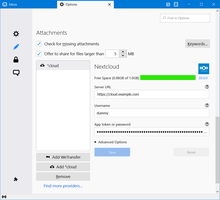
Upload large attachments to your Cloud and send the link by email
37,077 users -
SmartTemplates
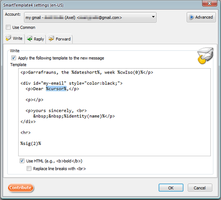
SmartTemplates offers an easy and powerful way to automatically create customized replies by auto-inserting various mail headers. Templates can be created for every mail identity, Stationery files can now be imported and used directly.
3,764 users
Most Popular See all »
-
 True "Send Later" functionality to schedule the time for sending an email.114,337 users
 -
 Check your emails for spelling and grammar issues75,572 users
 -
 Create and Save or Send Multiple Individual and Personalized Messages from a Draft75,467 users
 -
 Switch the signature on/off or choose a new one from your predefined set.55,641 users
 -
 Highlights selected text when composing emails. Default colour is yellow - other colours are available via Options.
(Works only during writing an e-mail, i.e. only in the compose window.)51,740 users -
 Securely encrypt and upload large attachments to any Send service instance (formerly Firefox Send).49,521 users
Top Rated See all »
-
 Thunderbird は Outlook のようにアドレス全選択からの「一括コピー」ができません。
それを実現するためのアドオンです。443 users -
Macro Template is to replace mail templates with macros for date formatting.609 users
-
Default "Reply" functionality pays attention to "Reply-To" in original email49 users
-
 Allows you to use your Exchange and Office365 email account with Thunderbird using Outlook Web Access (OWA).39,542 users
 -
Create and Save or Send Multiple Individual and Personalized Messages from a Draft75,467 users
-
 Warns if you send mail from or to a specified domain. If there are multiple accounts in your profile, you can isolate one so that you can't send mail to that domain from outside or vis versa without warning.89 users
Recently Added See all »
-
 Zeigt die zentral verwaltete E-Mail-Signatur schon beim Schreiben, statt sie erst beim Versand zu ergänzen. Erfordert ein Konto beim Signaturdienst SignatureHub.1 user
 -
 Summarize, draft replies, chat with, and triage selected email through OpenAI, Claude, Mistral, DeepSeek, or your compatible endpoint. No mail is sent unless you start an AI action.1 user
 -
Verarbeite markierten Text in Eingabemasken über ein Chat-Completions-LLM direkt im Browser.1 user
-
 Apply Duck relay addresses while composing email in Thunderbird.1 user
 -
A quick 5-second grace window when sending emails! Intercepts send actions, shows a smooth countdown popup, and gives you a one-click Undo button before dispatch. Fully customizable delay in settings.10 users

See all 360 extensions in Message Composition »
To create your own collections, you must have a Mozilla Add-ons account.
