 Add-ons
Message Composition
-
SmartTemplates
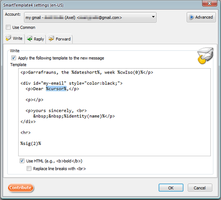
SmartTemplates offers an easy and powerful way to automatically create customized replies by auto-inserting various mail headers. Templates can be created for every mail identity, Stationery files can now be imported and used directly.
3,276 users -
*cloud - FileLink for Nextcloud OpenCloud ownCloud
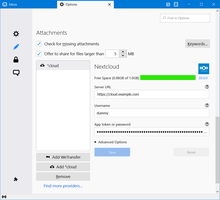
Upload large attachments to your Cloud and send the link by email
31,880 users
Most Popular See all »
-
 True "Send Later" functionality to schedule the time for sending an email.97,779 users
 -
 Check your emails for spelling and grammar issues66,784 users
 -
 Create and Save or Send Multiple Individual and Personalized Messages from a Draft63,099 users
 -
 Switch the signature on/off or choose a new one from your predefined set.47,650 users
 -
 Highlights selected text when composing emails. Default colour is yellow - other colours are available via Options.
(Works only during writing an e-mail, i.e. only in the compose window.)44,858 users -
 Securely encrypt and upload large attachments to any Send service instance (formerly Firefox Send).43,648 users
Top Rated See all »
-
 Thunderbird は Outlook のようにアドレス全選択からの「一括コピー」ができません。
それを実現するためのアドオンです。354 users -
Macro Template is to replace mail templates with macros for date formatting.526 users
-
Default "Reply" functionality pays attention to "Reply-To" in original email47 users
-
 Allows you to use your Exchange and Office365 email account with Thunderbird using Outlook Web Access (OWA).35,740 users
 -
Create and Save or Send Multiple Individual and Personalized Messages from a Draft63,099 users
-
 Warns if you send mail from or to a specified domain. If there are multiple accounts in your profile, you can isolate one so that you can't send mail to that domain from outside or vis versa without warning.86 users
Recently Added See all »
-
A quick 5-second grace window when sending emails! Intercepts send actions, shows a smooth countdown popup, and gives you a one-click Undo button before dispatch. Fully customizable delay in settings.0 users
-
 Thunderbirdの送信メールにチケットIDを自動付与するシンプルなメール管理支援アドオンです。返信時には同じチケットIDを引き継ぎ、送信時に対応完了・未完了を選択できます。ユーザー登録や初期設定は必要ありません。0 users
 -
 Resize inline images directly in Thunderbird messages with editable presets, and compress JPEG files manually or automatically without changing their displayed size.4 users
 -
 Automatically compress email attachments into ZIP files by extension and size rules, before sending or right after you attach them.2 users
 -
Private notes and todos for every site, domain, or exact page path.5 users

See all 353 extensions in Message Composition »
To create your own collections, you must have a Mozilla Add-ons account.
