 Shtesa
Mirë se vini te Shtesat për Thunderbird.
Shtoni veçori dhe stile ekstra për ta bërë këtë Thunderbird tuajin.
Mbylle
Metal for Thunderbird 2.0.34 Lyp Rinisje
nga alfredkayser
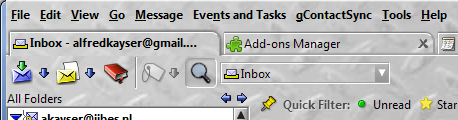
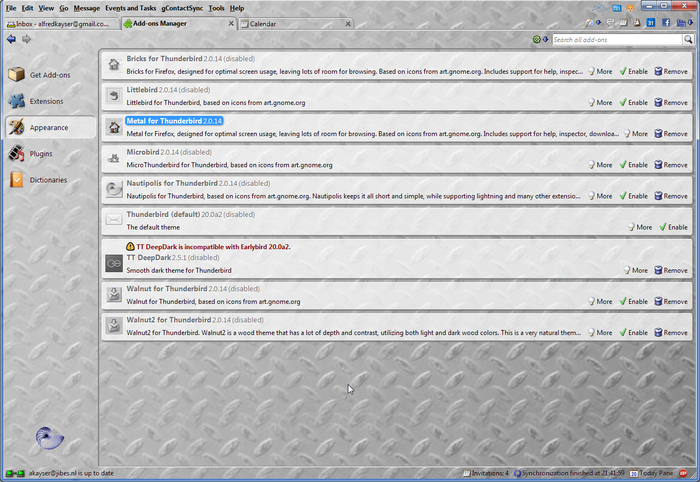
Metal for Thunderbird, theme optimized for using your own background. Based on the Nautipolis/LittleFox framework.

Rreth kësaj Shtese
Metal for Thunderbird, based on icons from art.gnome.org. Includes support for rmany extensions.
To change the background image do the following:
After installation, restart Thunderbird to apply the theme.
Then go to the extensions directory of Thunderbird, and then into the directory of this theme.
This is something like this:
D:\Users\alfred\AppData\Roaming\Thunderbird\Profiles\ym993v3y.default\extensions\{c3ba989c-d0db-4eb8-b0d5-2cd071b51009}
In the subdirectory 'Metal', replace the file background.png with the image of your choice.
Then restart Thunderbird to apply.
To change the font that is used:
Include the following in your userChrome.css:
window, page, dialog, prefwindow, wizard, popup, menupopup {
font-family: "lucida sans unicode" !important;
font-size: 15px !important;
}
Change the font name and size of font to your liking.
Metal will apply this then throughout the theme.
To change the background image do the following:
After installation, restart Thunderbird to apply the theme.
Then go to the extensions directory of Thunderbird, and then into the directory of this theme.
This is something like this:
D:\Users\alfred\AppData\Roaming\Thunderbird\Profiles\ym993v3y.default\extensions\{c3ba989c-d0db-4eb8-b0d5-2cd071b51009}
In the subdirectory 'Metal', replace the file background.png with the image of your choice.
Then restart Thunderbird to apply.
To change the font that is used:
Include the following in your userChrome.css:
window, page, dialog, prefwindow, wizard, popup, menupopup {
font-family: "lucida sans unicode" !important;
font-size: 15px !important;
}
Change the font name and size of font to your liking.
Metal will apply this then throughout the theme.
