 附加组件
附加组件
邮件撰写
-
*cloud - FileLink for Nextcloud and ownCloud
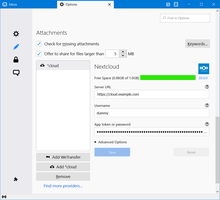
Upload large attachments to your Cloud and send the link by email
36,379 位用户 -
SmartTemplates
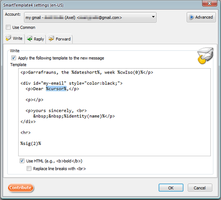
SmartTemplates offers an easy and powerful way to automatically create customized replies by auto-inserting various mail headers. Templates can be created for every mail identity, Stationery files can now be imported and used directly.
3,580 位用户
最热门 查看全部 »
-
 Create and Save or Send Multiple Individual and Personalized Messages from a Draft71,038 位用户
 -
 Check your emails for spelling and grammar issues70,516 位用户
 -
 Switch the signature on/off or choose a new one from your predefined set.50,228 位用户
 -
 Securely encrypt and upload large attachments to any Send service instance (formerly Firefox Send).48,963 位用户
 -
 Uploads your large attachments to your Dropbox instead of sending them by email. This uses Thunderbird's FileLink feature.46,748 位用户

评分最高 查看全部 »
-
 Quickly choose one of the previously selected colors for a message text1,413 位用户
 -
 Thunderbird は Outlook のようにアドレス全選択からの「一括コピー」ができません。
それを実現するためのアドオンです。444 位用户 -
Macro Template is to replace mail templates with macros for date formatting.552 位用户
-
Default "Reply" functionality pays attention to "Reply-To" in original email55 位用户
-
 Allows you to use your Exchange and Office365 email account with Thunderbird using Outlook Web Access (OWA).41,637 位用户
 -
Create and Save or Send Multiple Individual and Personalized Messages from a Draft71,038 位用户
最近添加 查看全部 »
-
 This extension adds an ‘Undo Send’ feature to Thunderbird—just like Gmail’s Undo Send—giving you 10 seconds to cancel an email after clicking Send.6 位用户
 -
A lightweight Thunderbird add-on that allows you to add private comments to emails. These comments are stored as "Unsent Replies" directly within the same folder as the original message, ensuring your notes sync across all your devices.7 位用户
-
 Summarize emails and refine selected text using your own AI API. Set your OpenAI-compatible endpoint and key in options; no built-in backend. Summarize when reading mail; Refine with one click in the compose toolbar, then Insert to replace the text.3 位用户
 -
 When replying to an email this will set a "Customize From Address..." with the original recipient.
This is useful when using custom email addresses with plus addressing or a catch-all.
If a name is missing it will use the name of the set identity.1 位用户 -
 MailCheck helps prevent accidental email leaks by checking recipient domains before sending. Can be configured to warn & allow users to deny when email messages include non-allowed domains or prohibited domains.5 位用户

浏览 邮件撰写 中的 295 个扩展 »
创建您自已的收藏集,您必须一个 Mozilla 附加组件账户。
或者登录您已有的账户
